Kategorien durchsuchen
Entdecken
Fiverr Pro
Deutsch
$
USD
Native Japanese QA Tester, HR SaaS and ASP NET Developer
Launching HR, payroll, attendance or expense software for Japanese users?
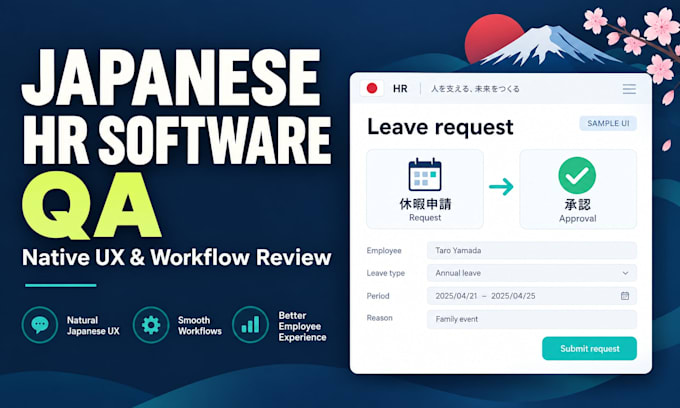
I review Japanese wording and HR workflows to help you find confusing labels, unclear forms and approval steps before launch.
I am a native Japanese .NET developer with 10+ years of experience in HR, payroll, accounting and back-office systems.
WHAT I CHECK
- Japanese UI wording, tone and terminology
- Names, dates, input formats and error messages
- Employee onboarding, leave requests and approval flows
WHAT YOU RECEIVE
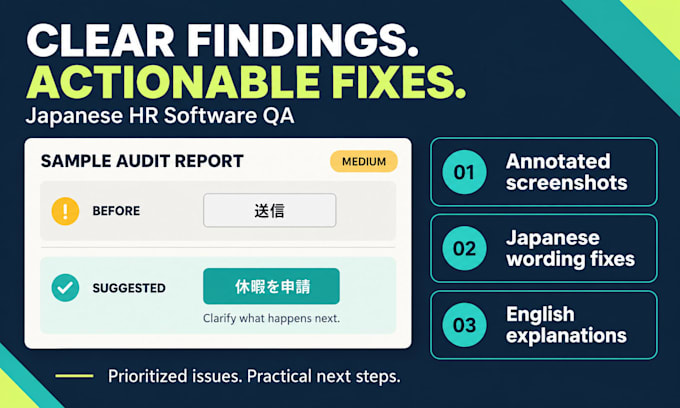
- Prioritized findings with annotated screenshots
- Clear English explanations and practical recommendations
- Suggested Japanese wording and video walkthroughs in Standard and Premium
PACKAGES
Basic: 3 screens on desktop.
Standard: 1 workflow, 6 screens, up to 30 UI wording fixes.
Premium: 2 workflows, 10 screens on desktop and mobile, up to 60 wording fixes and one scoped retest.
This is a UX and localization review, not a compliance audit. Legal, tax and payroll compliance advice, full translation and code changes are excluded.
Message me before ordering with your product URL, target users and screens. Please provide test access with sample data.


Altersspanne:
Mittleres Alter
Bildung:
Hochschulbildung
Testplattform:
Webseitenprüfung
•
Mobiles Testing
•
Softwaretests
Gerät:
PC
•
iPhone
•
Android-Mobiltelefon
•
Android Tablet
Sprache:
Englisch
•
Japanisch
Is this full software QA or a payroll compliance audit?
This service focuses on Japanese UX, UI wording and agreed HR workflows. Functional issues noticed during the review are also reported. It does not include comprehensive functional testing, security or performance testing, or legal, tax, labor and payroll compliance advice.
How do you count screens and workflows?
A screen is one distinct page or UI state. A modal or error state counts separately when included in the review. A workflow is one agreed task, such as submitting and approving a leave request. Premium covers up to 10 agreed screens on both desktop and mobile, not 10 different screens per device.
Can you rewrite the Japanese UI text?
Yes. Standard includes suggested fixes for up to 30 short UI strings; Premium includes up to 60. A string is one label, button, instruction or short message of up to 100 Japanese characters. Basic identifies wording issues but does not include a full rewrite. Longer text, full translation and code c
Can you review a product that is not yet in Japanese?
Yes. I can review an English interface, prototype or screenshots for Japan-specific usability and workflow concerns. Japanese wording review requires existing Japanese text. Creating a Japanese version from English is not included. Please contact me first so we can agree on useful deliverables.
What is the difference between a revision and a retest?
One revision covers clarifications or corrections to my delivered report within the original scope. It does not include testing changed software. Premium also includes one retest of up to 5 previously reported issues on the agreed screens and environments. Please arrange the updated build and retest
Which devices and browsers are included?
Basic and Standard cover one agreed desktop browser environment. Premium adds one agreed mobile browser environment for the same web application. Please confirm your required devices and browsers before ordering. Native iOS or Android apps and additional environments require prior agreement.
What do you need before starting?
Please send your product URL or screenshots, target users, review goals and priority workflows. For interactive testing, provide a dedicated test account with sample data and the required user roles. Please do not share real employee or payroll records. Paid access must be supplied; purchases and re