Kategorien durchsuchen
Deutsch
$
USD
Deine KI mit Fiverr verbinden
Chinese Support and Excel Trackers
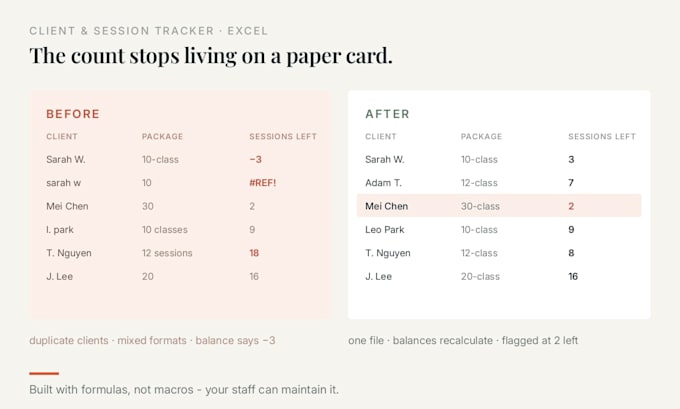
Your client bought 10 classes, used 3, and the count lives on a paper card in a drawer.
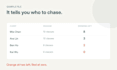
I'll build one Excel file that answers three things at a glance: sessions used, sessions left, who's due to renew.
You get:
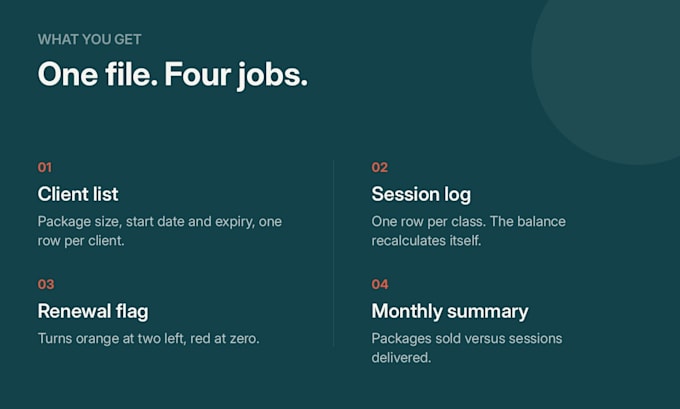
- Client list: package size, start date, expiry
- Session log: one row per class, balance recalculates itself
- Renewal flag: the row turns red at 2 sessions left
- Monthly summary: packages sold vs sessions delivered
- A one-page guide: what each sheet does, where to type
For coaches, tutors, studios, clinics, salons - anyone selling class packages.
Simple formulas (SUMIFS, COUNTIFS, INDEX/MATCH), dropdowns, conditional formatting. No macros, no Power Query, no locked cells, so your staff can keep using it after I'm gone.
Starter covers 1 file and up to 50 clients. Bigger list? Message me the row count first.
Not included: typing data in from paper or PDF, multi-user cloud sync.
Send before ordering: your client list (name, package size, start date) and how you name your classes.
Your client data stays yours. I delete the source file after delivery.
Plattform:
Excel
•
Google Sheets
•
Microsoft Office
Entwicklungstechnologie:
Excel
•
VLOOKUP
Can it warn me before a client runs out?
Yes. There's a renewal column that turns red once a client has 2 sessions left — you see it before they call to book their 11th class.
I sell different package sizes. Can one file handle that?
Yes. Package size is a column, not a separate sheet. A 10-class card and a 30-class card sit in the same file, and each balance calculates on its own.
Do you use macros or VBA?
No. My files work with formulas and data validation. They stay readable and won't trigger security warnings. If you need automation, tell me and I'll say so upfront.
Will I be able to edit it myself afterwards?
That's the point. Every file comes with a one-page note saying what each sheet does and where to type. No locked cells unless you ask.
How do you handle client data?
I delete your source file after delivery. Please remove phone numbers and payment details before sending - names and package counts are enough for me to build it.
Can you work with Google Sheets instead of Excel?
Yes. Tell me which one you need before ordering, because the formulas differ slightly.
Do you also build shift rosters or attendance sheets?
Yes, for small teams on rotating shifts - restaurants, clinics, salons, small factories. Same approach: one sheet to fill in, totals calculate themselves. Message me with your shift pattern and I'll quote it.