Kategorien durchsuchen
Deutsch
$
USD
Deine KI mit Fiverr verbinden



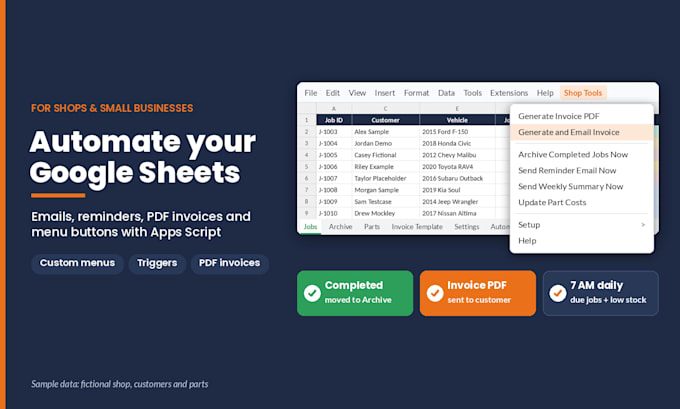
Still copying rows, typing the same emails and making invoices by hand in Google Sheets?
I write Google Apps Script that does that work for you, inside your own Google account.
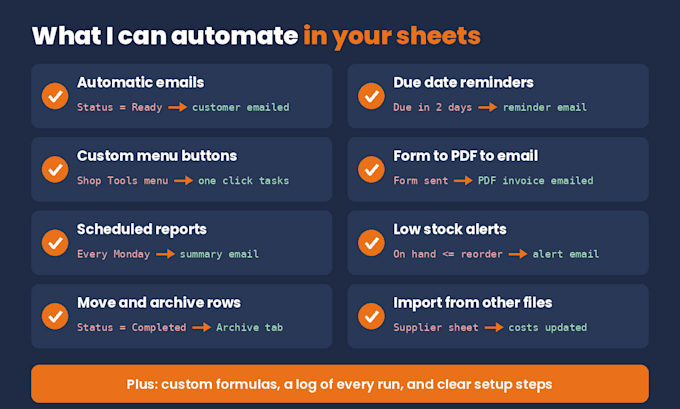
What I can automate:
- Emails or reminders when a status changes or a date is due
- Custom menu buttons for the tasks you repeat
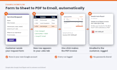
- Google Form to Sheet to a PDF invoice or estimate emailed to your customer
- Scheduled reports and summaries
- Low stock alerts
- Moving or archiving rows by status
- Importing data from another sheet or file
- Custom functions for your own formulas
My niche is shops and small businesses (job trackers, estimates, invoices, parts lists), but any small business sheet works. I'm an ASE-certified mechanic and licensed Pennsylvania safety and emissions inspector, and I've built apps for years, so I build around how your work actually flows.
How it works: you share the sheet or a copy, I build and test on a copy, and you authorize it in your own account. No passwords. Every order includes commented code and setup steps. Premium adds a setup guide and a written walkthrough.
Not sure which package fits? Message me before ordering. Google's daily email limits apply.
Custom Business Tools and Automation
Sprachen
Do you need my Google password?
No, never. You share the sheet, or a copy of it, with edit access. You authorize the script in your own account, so emails and files stay under your account.
What is the 'Google hasn't verified this app' screen?
It's normal for a private script made only for your sheet. Click Advanced, then Go to the project. You can read every line of code first, and my setup steps explain each permission.
Does this work in Excel?
No. Apps Script runs only in Google Sheets. You can upload an Excel file to Google Drive and save it as a Google Sheet, and I'll build on that copy.
Are there any limits?
Google sets daily quotas. A free account can email about 100 recipients a day by script (more on paid Google Workspace), and each run is capped at 6 minutes. I design around them and tell you up front if your plan won't fit.
What if it stops working later?
If my code has a bug within 14 days of delivery, I fix it free. Changes like new columns or renamed tabs can be a small custom offer. Every build has a Settings area and notes on what the script expects.