Kategorien durchsuchen
Entdecken
Fiverr Pro
Deutsch
$
USD
Service-Desk-Mitarbeiter
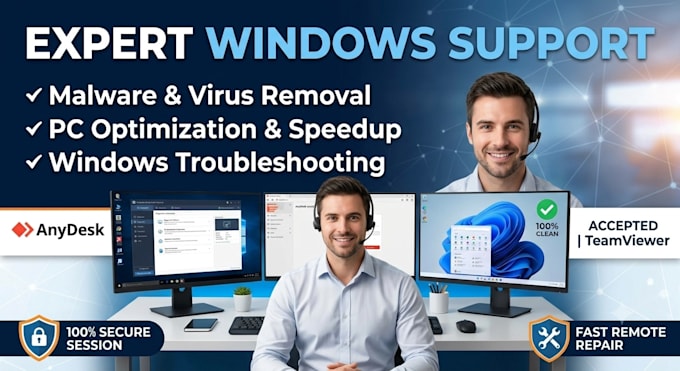
Fährt dein Windows-PC langsam, stürzt ab oder ist mit Viren infiziert? Ich bin hier, um zu helfen! Ich biete schnelle und sichere professionelle Remote-IT-Unterstützung via AnyDesk oder TeamViewer an.
Was ich für dich tun kann:
Schnell, zuverlässig und 100% sicher. Lass uns deinen Computer heute wieder wie neu laufen lassen! Bitte kontaktiere mich, bevor du eine Bestellung aufgibst.

Gerät:
Desktop
•
Laptop
Betriebssysteme:
Windows
Automatische Übersetzung
Ist der Fernzugriff auf meinen Computer sicher?
Ja, 100 %. Wir verwenden sichere, branchenübliche Tools wie AnyDesk oder TeamViewer. Du erhältst eine einzigartige Sitzungs-ID und ein Passwort, und du kannst alles, was ich tue, in Echtzeit auf deinem Bildschirm sehen. Du kannst die Sitzung jederzeit beenden.
Muss ich die ganze Zeit vor meinem Computer sitzen?
Nur am Anfang und am Ende. Ich brauche deine Zustimmung zur Verbindung und die Erlaubnis. Sobald ich mit Tiefenscans oder Optimierungsprozessen beginne, kannst du den PC laufen lassen, und ich gebe dir Bescheid, sobald die Arbeit erledigt ist.
Was passiert, wenn mein Computerproblem nicht behoben werden kann?
Ich empfehle dringend, mich vor der Bestellung zu kontaktieren, um deinen Fall zu analysieren. Wenn nach Überprüfung deines Systems das Problem auf einen Hardwarefehler (wie eine defekte Festplatte oder RAM) zurückzuführen ist, der nicht remote behoben werden kann, werde ich eine vollständige Rückerstattung ausstellen.
Bietest du Support für Mac (macOS) oder Linux an?
Nein, dieses spezielle Gig ist ausschließlich für Microsoft Windows Betriebssysteme (Windows 10 und Windows 11) gedacht. Das ermöglicht mir, einen hochspezialisierten und effektiven Troubleshooting-Service anzubieten.
Was passiert, wenn die Reparatur länger dauert als die Paketstunden?
Die Paketpreise decken die Lösung des vereinbarten Problems ab. Wenn dein System stark beschädigt ist oder mehrere versteckte Probleme aufweist, die zusätzliche Stunden aktiver Fehlerbehebung erfordern, können wir die Bestellung nach Absprache mit einem "Extra Hour"-Meilenstein problemlos verlängern.
Welche Komponenten benötige ich, um die Remote-Sitzung zu starten?
Du brauchst nur eine stabile Internetverbindung, damit ich deinen PC reibungslos steuern kann, und einen funktionierenden Webbrowser, um die AnyDesk- oder TeamViewer-Software herunterzuladen. Es sind keine technischen Kenntnisse deinerseits erforderlich – ich führe dich Schritt für Schritt durch den Prozess, wie du sie öffnest.
Werden meine persönlichen Dateien, Fotos oder Daten sicher sein?
Absolut. Deine Privatsphäre hat höchste Priorität. Ich greife nur auf Systemdateien zu, die zur Behebung des Problems notwendig sind. Du kannst meinen Bildschirm in Echtzeit überwachen, und ich empfehle, vertrauliche Fenster vor Beginn zu schließen.
Bietest du eine Garantie oder Nachbetreuung, falls das Problem wiederkehrt?
Ja, ich biete eine 3-tägige Garantie. Wenn das gleiche Problem innerhalb dieses Zeitraums wieder auftritt, behebe ich es kostenlos. Dies deckt keine neuen Probleme, Hardwareausfälle oder neue Virusinfektionen ab.