Kategorien durchsuchen
Entdecken
Fiverr Pro
Deutsch
$
USD

Chasing clients for documents every month? I'm a back office lead at an accounting firm, and I built our automations myself. I'll build the same for your practice.
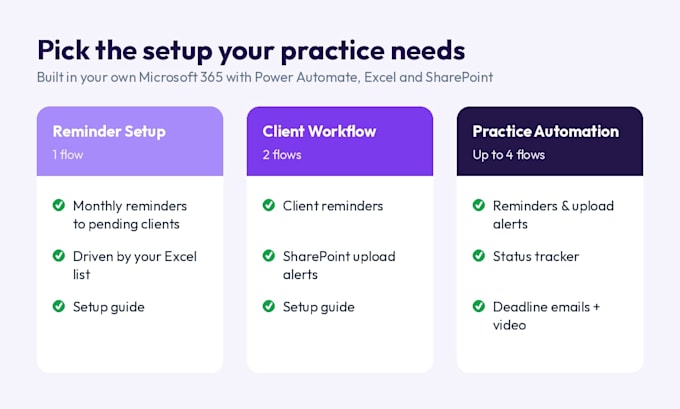
Popular setups:
Why work with me:
What you get:
Please message me before ordering to describe your current process, so I can recommend the right package.
Senior Operations Finance Manager
Sprachen
What do I need before ordering?
A Microsoft 365 account with Power Automate access. Most business and work accounts already include it. I’ll also need a short description of the task you want automated and, if relevant, sample files like your Excel sheet.
Will I need a paid Power Automate license?
Usually not. Standard connectors like Outlook, Excel, SharePoint and Teams work with most Microsoft 365 plans. Premium connectors need a paid license, and I’ll tell you before we start if your flow needs one.
Do you need access to my account?
Not necessarily. I can build the flow in my own environment and send it to you as a package to import, or we can work together in your account over a screen share. Your login details are never needed.
Will I be able to edit the flow myself later?
Yes. Every flow comes with clear step names and a guide explaining how it works, so you or your team can make small changes on your own.
Can you automate tasks outside Microsoft 365?
My focus is Microsoft 365: Outlook, Excel, SharePoint, OneDrive and Teams. Please message me first about any other app so I can confirm whether it’s possible.
Is my data safe?
Yes. I work in accounting and handle confidential client data every day. Your files are used only for your project and deleted after delivery. Sample or dummy data is fine whenever possible.
Can this work with my accounting software?
The flows run in Microsoft 365, using Outlook, Excel, SharePoint and Teams. If your software can export client lists or statuses to Excel, I can usually build reminders from that. Message me with your setup and I’ll confirm.